The problem starts after the successful login
Imagine opening an AI account on a laptop, touching a security key, and passing the sign-in check. The account is now ready to search files, use connected applications, retain memory, and let an agent act on the user’s behalf. The login was correct. That still does not answer whether the next action should run.
This is the practical gap behind the current interest in physical security keys. A key can make it much harder for a phishing site to impersonate the account owner at sign-in. It cannot tell whether the device is healthy, whether a session was stolen later, whether a connected application is trustworthy, or whether an agent’s requested action is appropriate for the resource.
OpenAI’s partnership with Yubico puts two physical keys in front of that larger problem. The accessory is visible; the architectural change is that an AI account is becoming a security principal with data, context, applications, and delegated authority. It deserves more than a password followed by a code copied from a message.
The useful question for a weekend experiment is therefore not “Which key should I buy?” It is “Which decision does this key protect, and which decisions remain after it?”
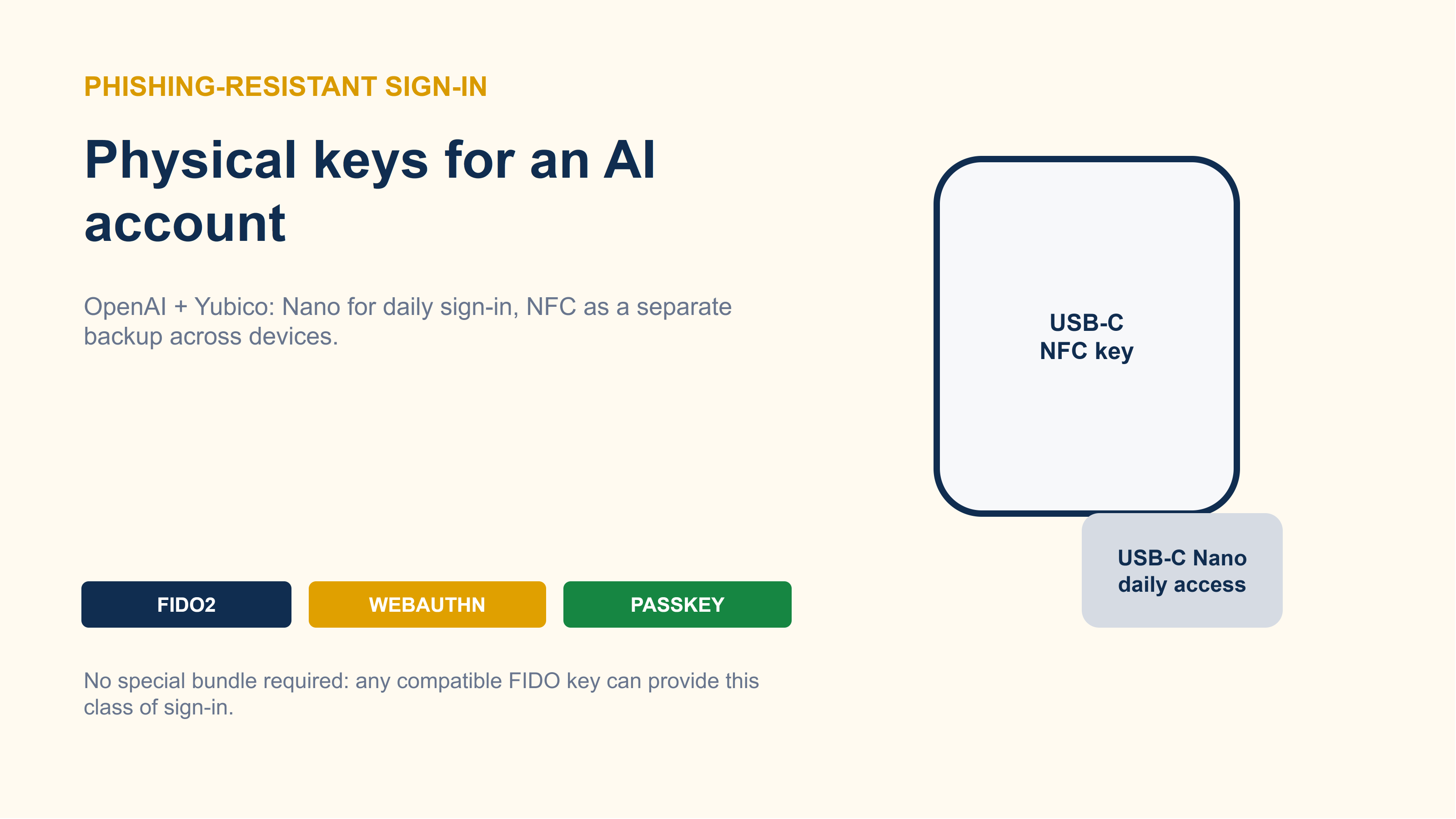 The source illustration frames the important distinction: the physical form factor is only the visible part of a broader account-security design.
Zero Trust is the missing mental model
NIST describes Zero Trust as a move away from static, network-based perimeters toward users, assets, and resources. Its central idea is easy to state and easy to misuse: access should not be granted merely because a user, device, or request is already inside a trusted boundary.
For an AI account, this separates two questions that are often collapsed into one:
- Has the right account holder authenticated?
- Should this particular request be allowed to touch this resource or perform this action now?
Zero Trust is not a product, a magic switch, or a claim that every request can be made risk-free. It is an architecture for making access decisions from identity, device, context, resource, and policy instead of inheriting trust from a network location or an old session. A security key strengthens the first question. It does not answer the second.
That distinction also prevents an exaggerated reading of the OpenAI-Yubico bundle. The bundle does not introduce a new authentication primitive. YubiKey, FIDO2, WebAuthn, and passkeys already exist. The change is productization: hardware keys, recovery, session management, and account-security policy are presented as one operating model for an AI account.
What the key actually protects
The core mechanism is public-key authentication. A security key creates a credential with a private key and a public key. The private key stays on the device; the service stores the public key. During sign-in, the website sends a challenge. After the user touches the key, the device signs that challenge, and the server verifies the signature.
WebAuthn also binds the credential to the relying party’s domain. A credential created for chatgpt.com should not produce a valid assertion for a look-alike phishing domain. That is the property passwords and one-time codes do not provide: a user can be tricked into typing both into the wrong page, while the browser and authenticator enforce the origin relationship for WebAuthn.
The useful boundary is the domain check. The key does not decide whether an agent’s later action is safe.
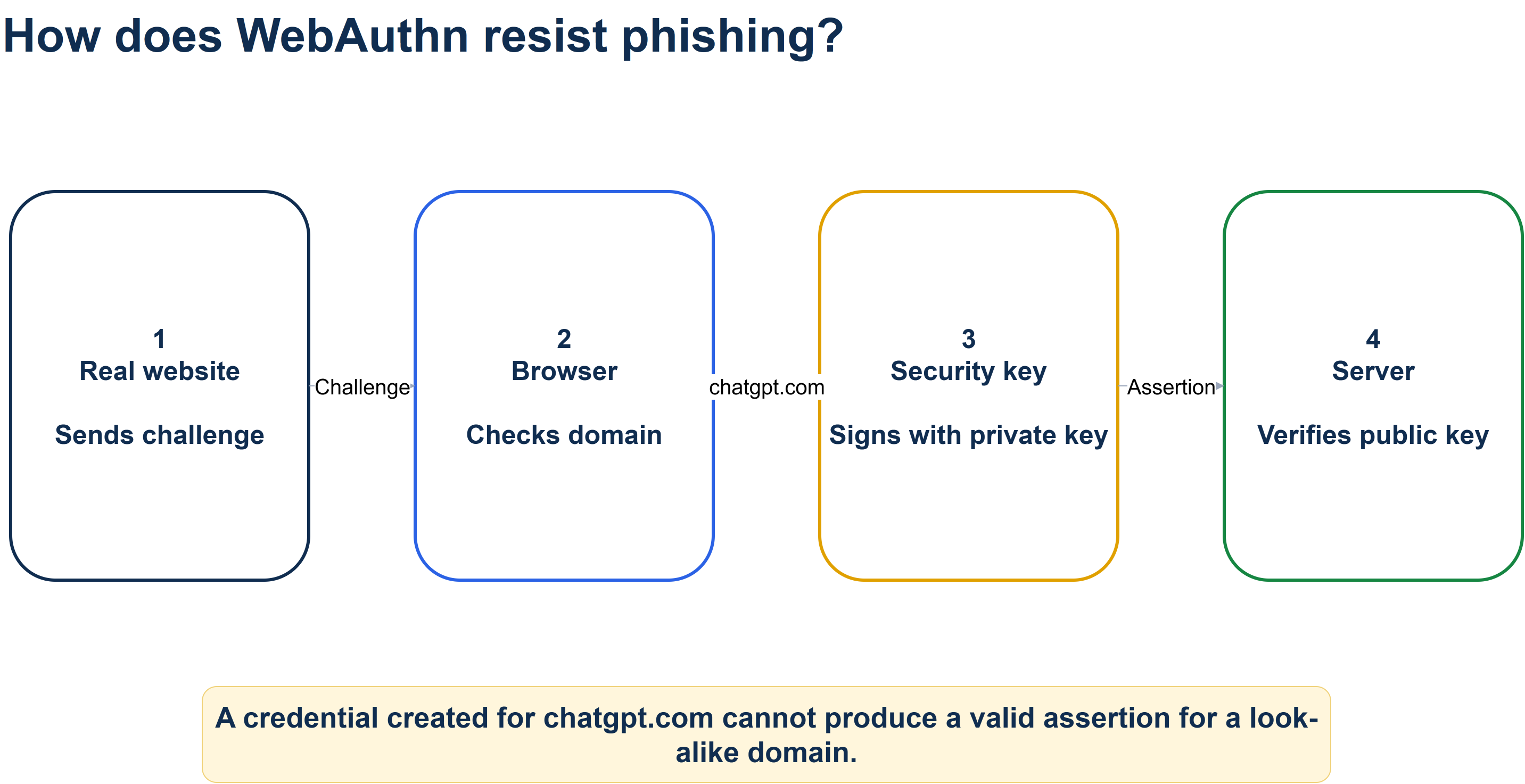 The credential is useful because the real site, browser, key, and server participate in one origin-bound exchange.
What the OpenAI bundle changes
The proposed configuration uses two form factors for two different jobs. A Nano-style key can remain with a laptop for low-friction daily sign-in. An NFC-capable key can stay separate and work with a phone or another computer. The value is redundancy and separation, not the brand name.
OpenAI’s Advanced Account Security mode is described as requiring at least two secure methods, including one that can be used across devices. Enabling a stronger mode can disable weaker paths such as password, email or SMS codes, and email-based recovery. That turns recovery into a first-class dependency: a setup that is hard to phish but impossible to recover is still a failed account design.
The configuration is a small operational system: authentication, backup, recovery, and session review must be tested together.
The Zero Trust question begins when a request moves past this boundary. The account may be valid, but the policy still needs to consider what is being accessed, from which device, through which application, and with what level of authority.
A phishing-resistant login is an input to the decision, not the decision itself.
What it does not solve
Phishing resistance narrows one important attack path. It does not stop malware on an already logged-in device, a stolen session, a malicious connected application, or an agent that performs the wrong action with valid authorization.
It also introduces a new failure mode. Losing every registered passkey, physical key, and recovery key can lock the legitimate owner out. Keeping a Nano key permanently inserted does not separate it from a stolen laptop. A backup key stored next to the primary key is not much of a backup when one incident removes both.
The security claim therefore needs a boundary: FIDO reduces phishing risk at sign-in. It is not a replacement for session management, endpoint security, least privilege, approval gates, or agent-specific policy. In Zero Trust terms, the key improves one signal used by an access decision; it does not turn every later request into a trusted request.
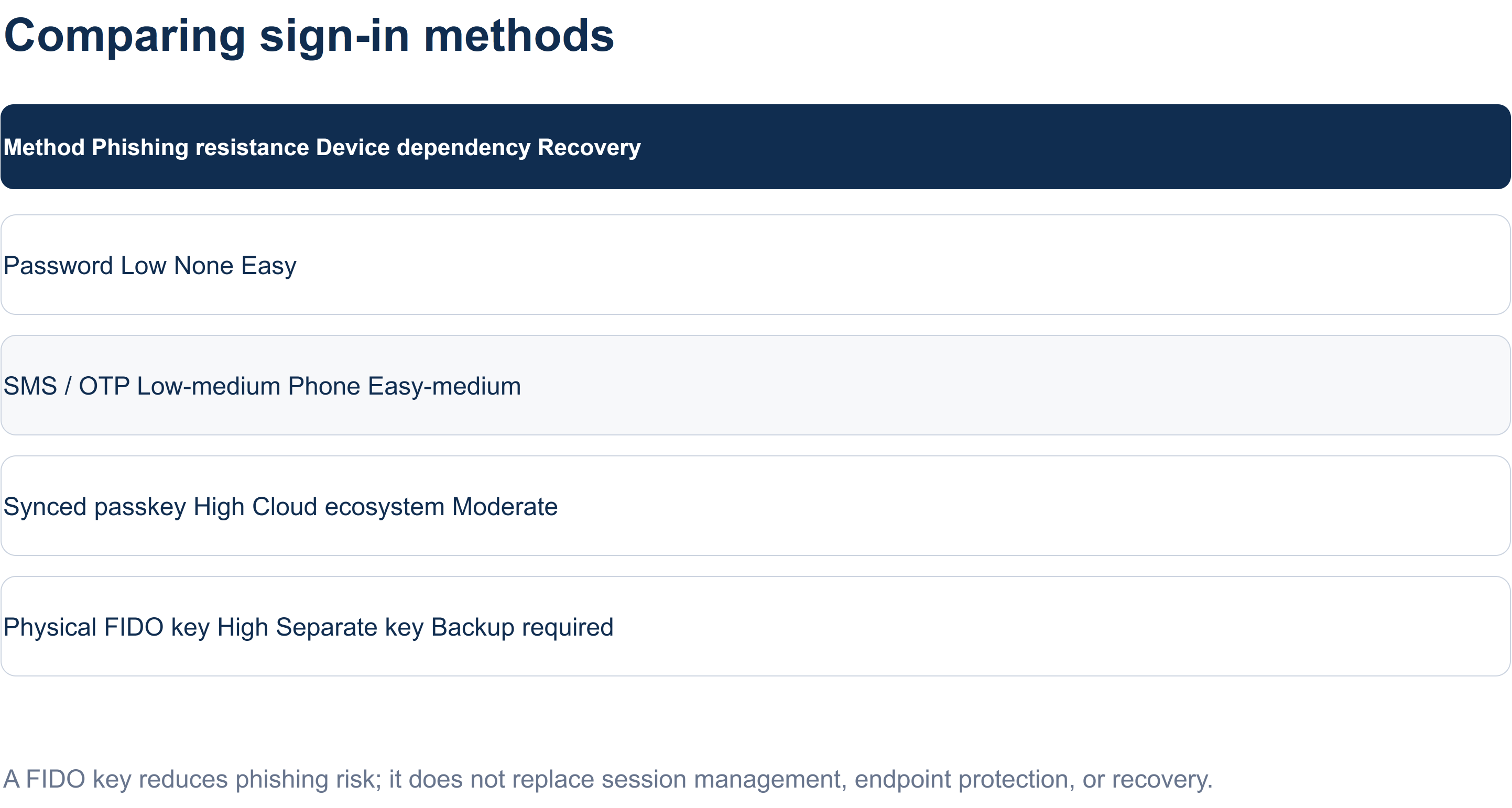 The comparison is useful only when read with its caveat: stronger sign-in does not remove the need for recovery and session controls.
A practical decision for individuals and teams
For an individual account containing sensitive work, the smallest useful experiment is to add two secure methods, store the recovery key offline, and test sign-in on both desktop and mobile before enabling a stricter mode. The test matters more than the purchase. It confirms that the account can be recovered without quietly reintroducing a weaker fallback.
The next check is authorization. Review active sessions, remove connected applications that are no longer needed, and ask which agent actions should require explicit approval. These steps do not make an account “zero trust” by themselves; they apply the same separation between authentication and authorization to an account that is already accumulating delegated capability.
For a team, the decision is broader. A policy should cover phishing-resistant authentication, SSO where available, active-session review, offboarding, recovery ownership, and permissions for connected tools. The account boundary cannot be stronger than the weakest workspace process around it.
In Vietnam, the immediate path is to inspect Settings -> Security -> Passkeys/Security keys, then choose a compatible key through a trustworthy channel if a device-independent factor is needed. The exact OpenAI-Yubico bundle is region-limited in the source material; its availability, price, tax, and shipping should be checked at checkout rather than inferred from the announcement.
The decision that remains
The important change is not that a USB-C accessory has become fashionable. It is that AI accounts increasingly combine identity, private data, memory, applications, and delegated actions. Authentication is becoming infrastructure for that combined object.
The durable rule is two-part: add phishing resistance at the sign-in boundary, then evaluate recovery, session, device, resource, and action policy separately. A key can prove that the right user is present. A Zero Trust architecture asks what that user, session, or agent is allowed to do next.
Sources and further reading
- The original Google Docs research source
- The supplied Google Docs source - access was unavailable during this revision, so its contents were not treated as evidence.
- Introducing Advanced Account Security - OpenAI’s announcement and partnership context.
- Advanced Account Security - Account requirements, sign-in changes, and recovery considerations.
- OpenAI + Yubico YubiKey bundle - Bundle composition and regional availability.
- Passkeys to secure your OpenAI account - OpenAI’s passkey guidance.
- NIST SP 800-207 Zero Trust Architecture - the authoritative architecture definition and principles used for the Zero Trust explanation.
- YubiKey 5C NFC and YubiKey 5C Nano - First-party form-factor and capability details.
- NIST SP 800-63B-4 - Digital identity and authenticator requirements.